
Welcome to Day 9 of the challenge.
The Sunday you spent NOT thinking about Monday. And then it’s 7pm and Monday is in your face anyway.
You know the meetings. You’ve seen the calendar at a glance. You can’t quite remember who’s in the room for the 10am, you’ve half-thought about what you’ll say in the 2pm, and there’s one meeting you genuinely don’t know what it’s about yet.
Eight minutes today and all three feel sorted.
A word before we start
Today is your second connector. Same flow as Day 7, same permissions stack, same read-only-first principle. Once you’ve connected one calendar to Claude, you’ll never want to walk into a meeting cold again.
This is the day people quote back to me most when they describe their first weeks with Cowork. The “I felt like I’d had a chief of staff overnight” moment is usually this one.
A note for those of you on Outlook or Apple Calendar: the connector works the same way. The clicks below are Google-specific, but find the equivalent for your provider and the brief is identical.
Step by step
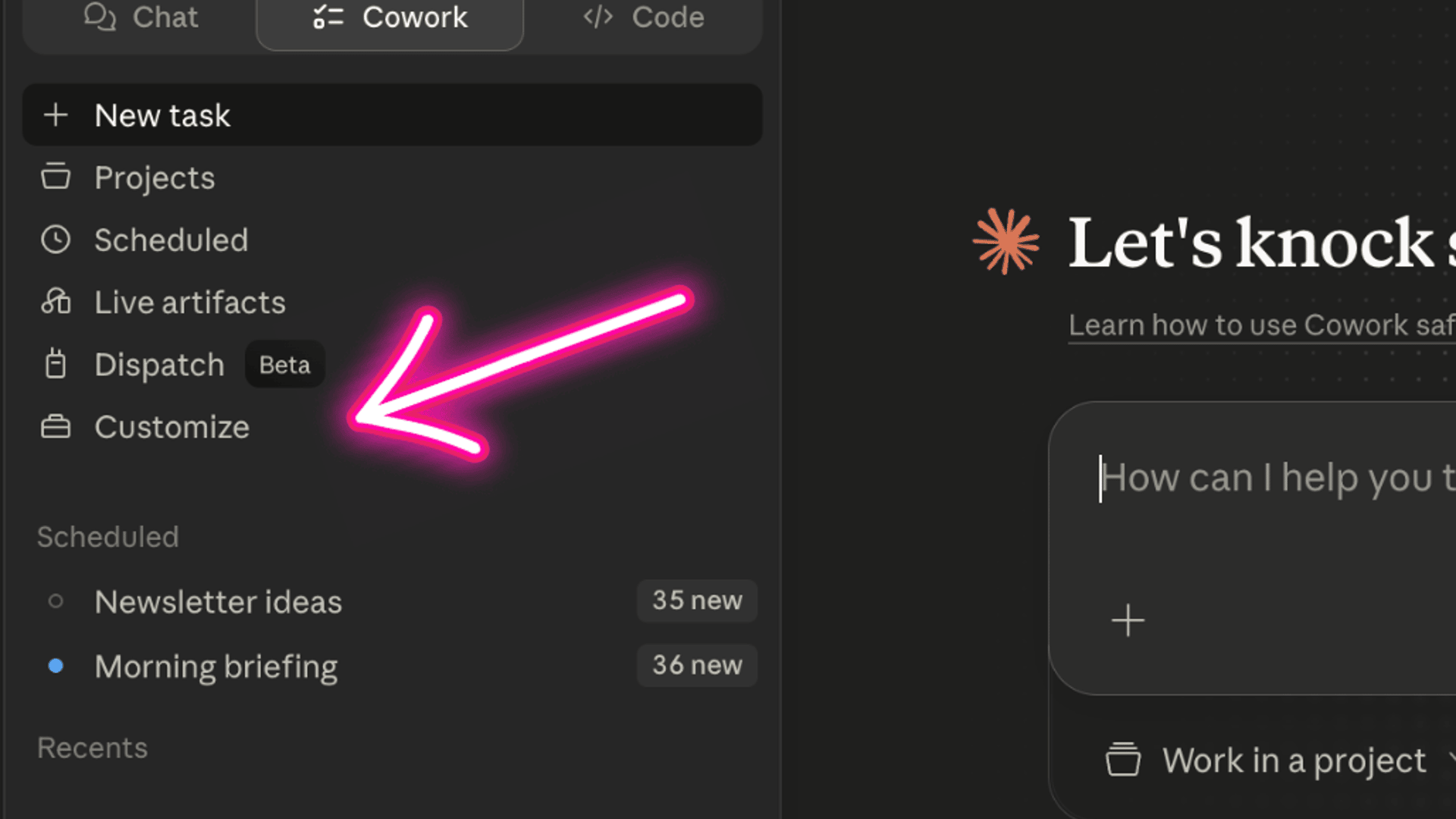
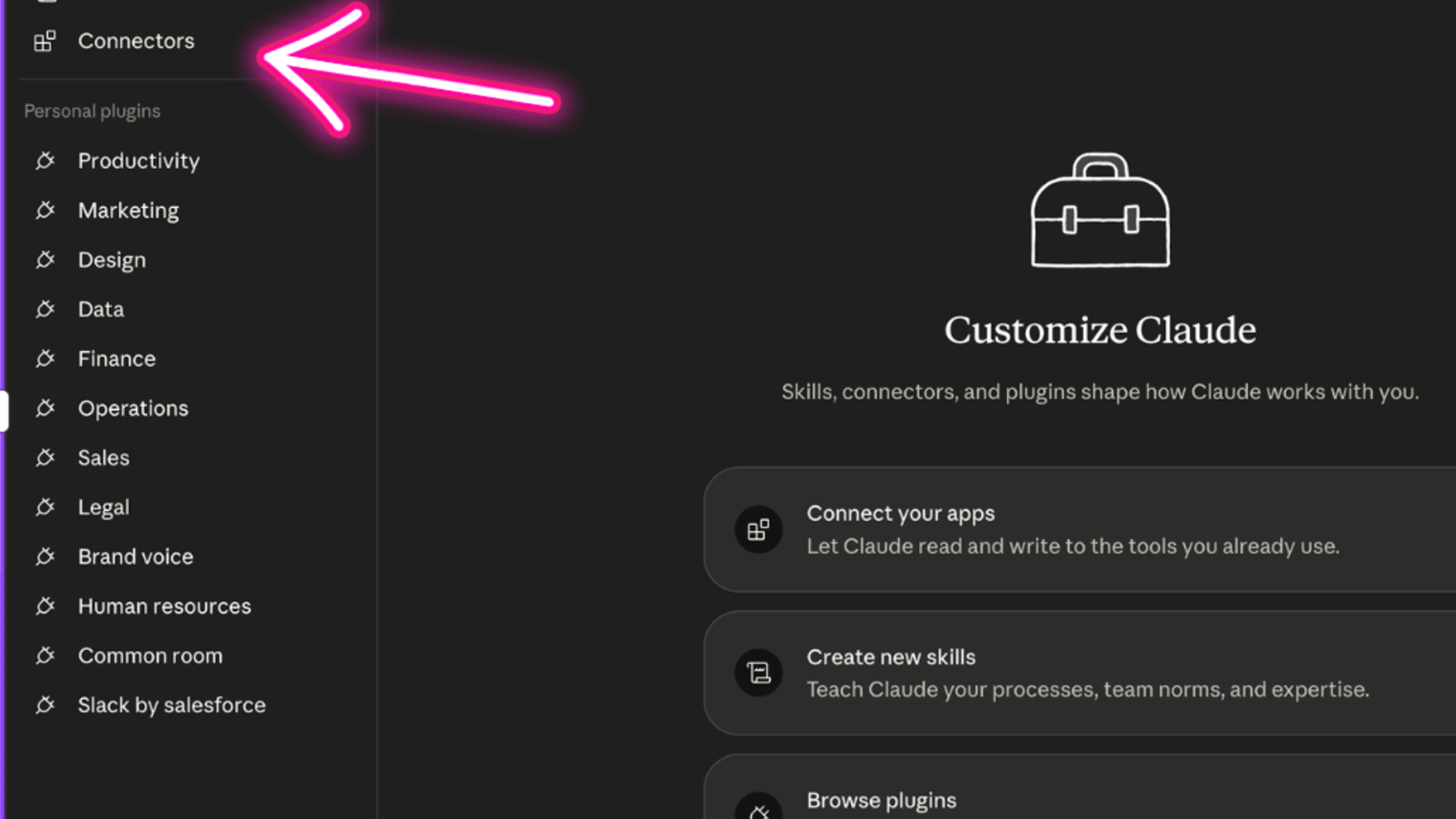
Step 1. Open Cowork in your desktop app. Settings. Connectors.
Step 2. Find Google Calendar (or Outlook / Apple Calendar). Sign in.
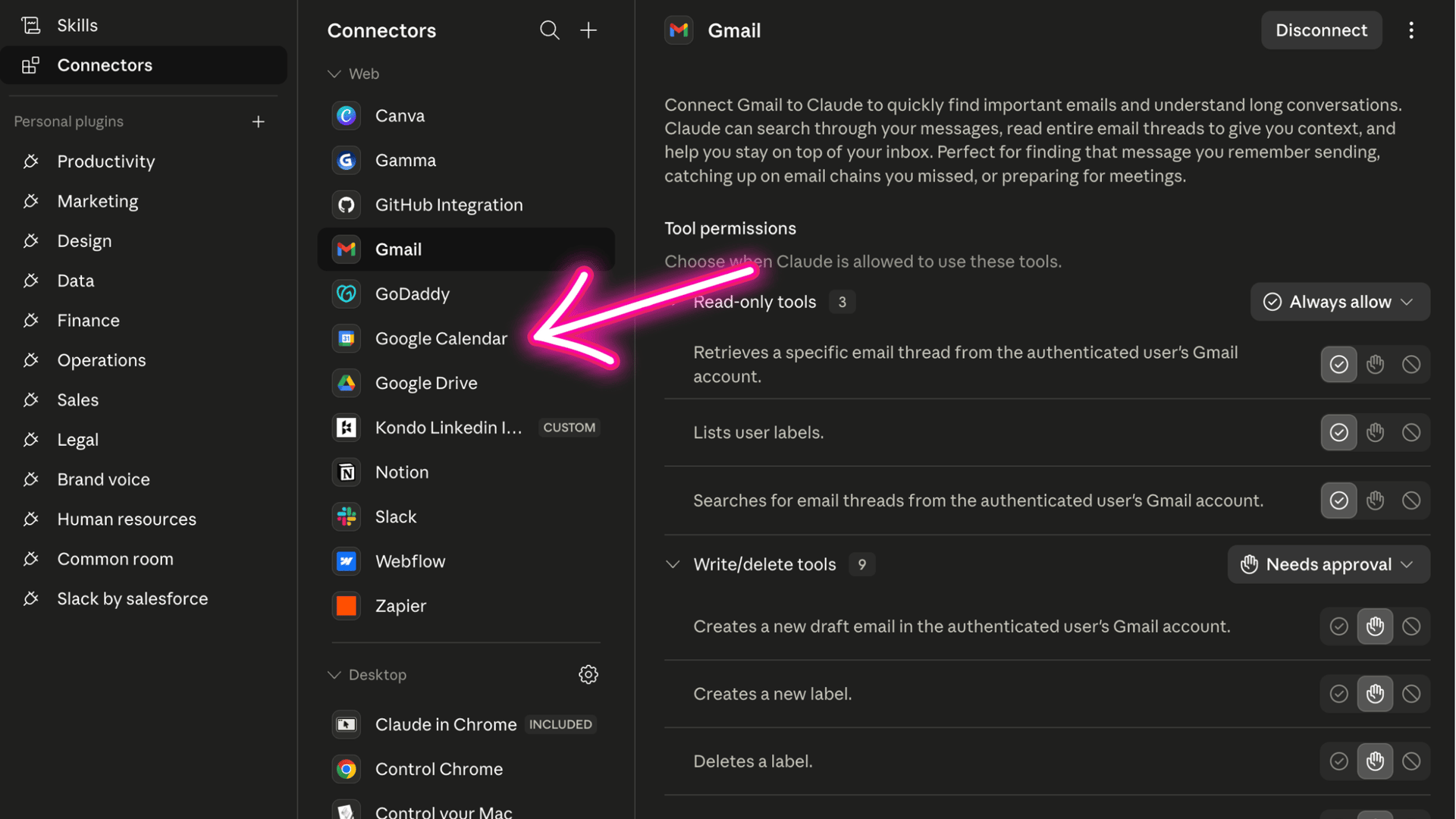
Step 3. Grant READ-ONLY access. Same rule as Gmail. Claude needs to read your calendar, nothing more. If the screen offers a choice, untick anything that says create, modify or delete events. Read-only is enough for everything in this brief.
Step 4. Pick the three meetings from next week that matter most. Not all of them. The three you’d actually want to walk in sharper to.
If you’re not sure which three: any meeting where the room contains someone senior to you, any meeting where money or scope is on the table, any meeting where you’re presenting, any meeting you’ve already half-prepped for. Pick three. Don’t optimise.
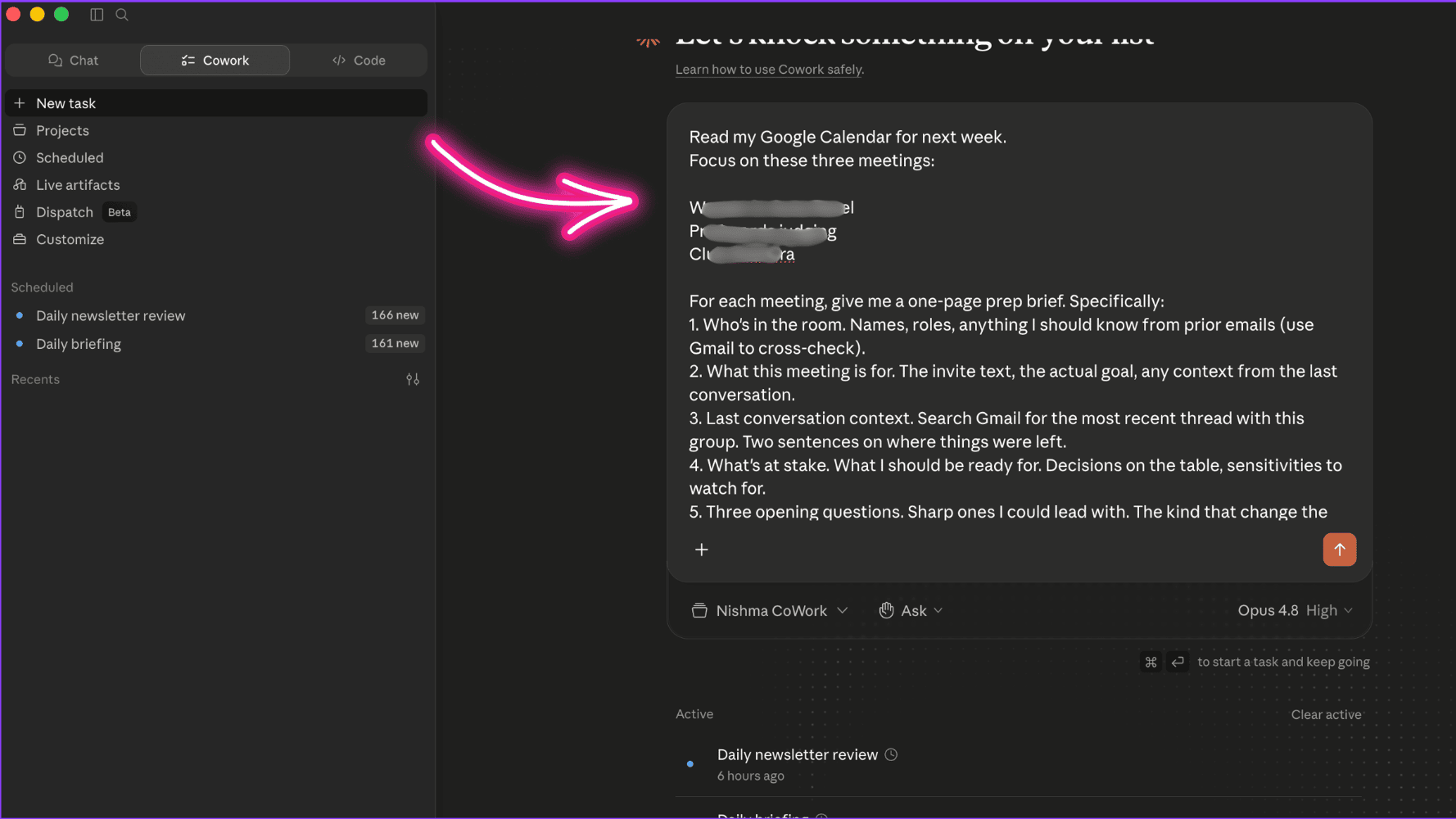
Step 5. In a new Cowork chat, paste this brief:
Read my Google Calendar for next week.
Focus on these three meetings: [paste meeting titles and dates, or describe them in your own words].
For each meeting, give me a one-page prep brief. Specifically:
1. Who’s in the room. Names, roles, anything I should know from prior emails (use Gmail to cross-check).
2. What this meeting is for. The invite text, the actual goal, any context from the last conversation.
3. Last conversation context. Search Gmail for the most recent thread with this group. Two sentences on where things were left.
4. What’s at stake. What I should be ready for. Decisions on the table, sensitivities to watch for.
5. Three opening questions. Sharp ones I could lead with. The kind that change the temperature of the room.
Before you start, ask me three clarifying questions about what’s missing from the calendar invites themselves.
Step 6. Answer Claude’s three questions. Let it run.
(If this is the first brief you’ve given Claude that touches both your calendar AND your inbox, you’ll see it stitch the two together. That’s the unlock. Your work doesn’t sit in one app, and your colleague no longer pretends it does.)
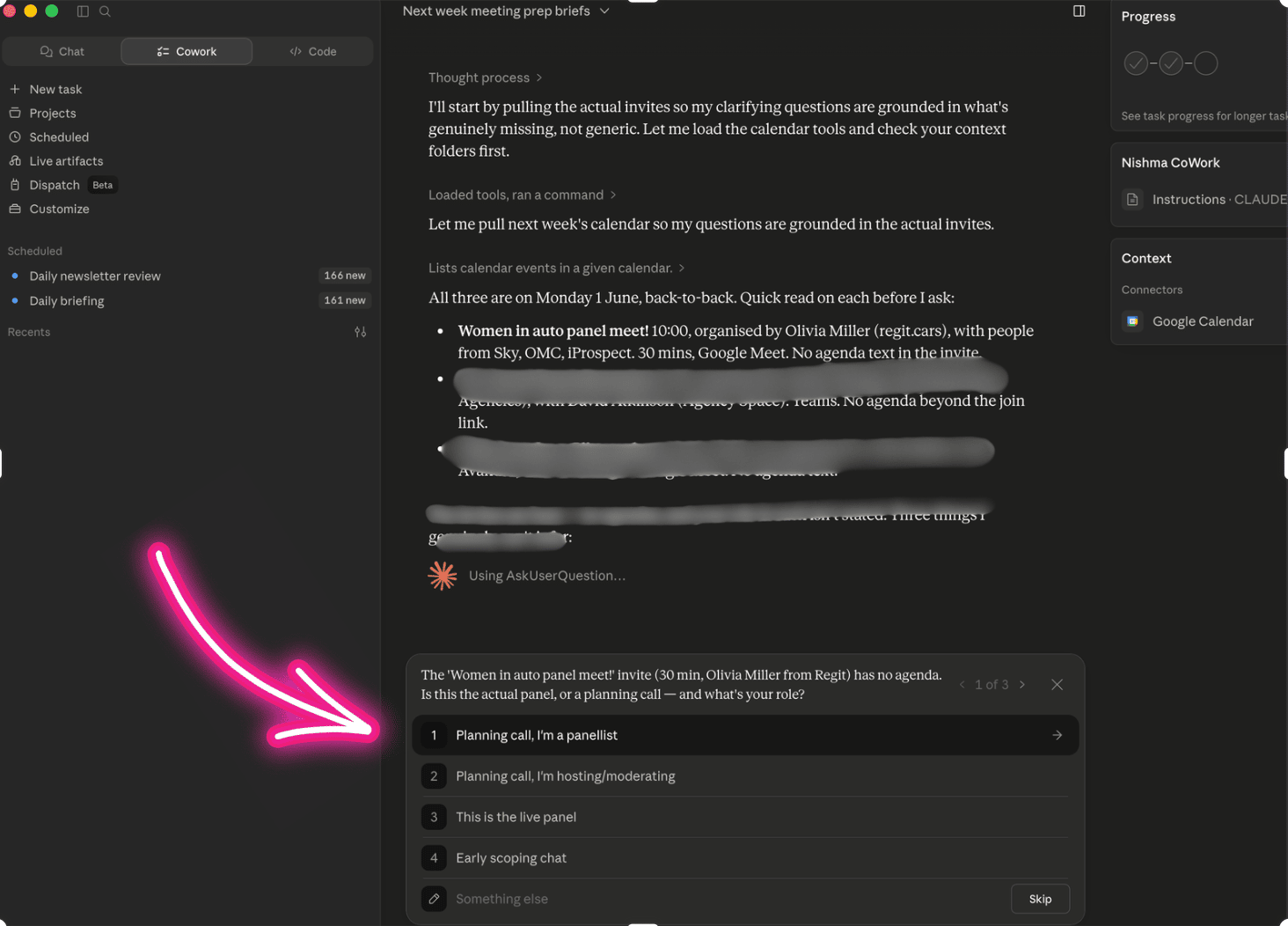
Step 7. Read the prep brief for each meeting.
For each one, do three things:
Tell Claude what it missed. Context only you have. The actual politics of the room. The fact that the senior person hates being interrupted. The fact that you’ve been chasing this for six weeks.
Cut the questions you wouldn’t actually ask. Claude’s three opening questions will usually need one swap. Trust your instinct.
Add the one thing you want to land. What’s the sentence you want the room to remember from you?
Step 8. Save the briefs.
Ask Claude:
Save each meeting brief as a separate file in my Cowork folder. Name them 2026-XX-XX-prep-[meeting name].md. Put the date of the meeting at the top of each one.
You now have three files you can open on Monday morning, five minutes before each meeting. Re-read, pick the three things you’ll bring in, walk in.
A safety note
Calendar contents are sometimes more sensitive than you’d think. Your week tells the story of who you’re meeting, when, where, and sometimes why. Claude has read-only access to that data. It cannot create, change or share anything.
If a specific meeting is private (a board sub-committee, a difficult one-to-one, anything legal), exclude it from the brief by name: “Skip anything titled [meeting name].” Claude won’t touch it.
Revoke calendar access the same way you’d revoke Gmail. Settings, Connectors, Disconnect. Or in Google: myaccount.google.com, Security, Third-party apps with account access, find Claude, Remove access. Both work.
What you’ll notice
The prep for the meeting you’ve half-thought-about feels disproportionately good. The cross-check between calendar and inbox surfaces context you’d otherwise have walked in without.
The third meeting (the one you genuinely didn’t know the agenda for) usually becomes the most useful brief. Claude pulls the invite text, scans the prior thread, and tells you what it’s about before you have to ask anyone.
The single biggest shift: you stop walking into meetings as the person catching up and start walking in as the person already two steps ahead. Same calendar. Different posture.
Why this works
Most of meeting prep is information assembly. Who’s there, what was last said, what’s at stake. The thinking bit, your angle, your push, your read on the room, is yours. The assembly bit, which is what makes prep feel heavy, isn’t. That’s Claude’s.
Once you’ve separated the two, eight minutes is enough. The brief reads as if you’ve spent half an hour, because the assembly LOOKS like the work. It isn’t.
Key takeaway
One connector. One brief. Three meetings, briefed. Sunday afternoon. Monday morning sorted.
You now have a routine you can run every Sunday evening. Calendar plus inbox plus a one-page brief per meeting. Eight minutes. The version of yourself that walks into next week is the prepared one.
Where this is heading
Two connectors in. Two days of “wow.”
You’ve crossed the line from “AI is a chat tool” to “AI is a colleague who lives in my work.”
Tomorrow we tie everything you’ve done so far into a daily routine.
Tomorrow on Switched On
Day 10: The five-minute end-of-day routine.
Sunday Scaries don’t only happen on Sundays. They happen at 11pm on a Tuesday too. Tomorrow we install the daily habit that ends them for good. Five minutes before you close the laptop. Tomorrow morning, a plan instead of a panic.
Nishma x
P.S. How did today land? Choose one answer (10 seconds max) → Tap one
I read every response. The data shapes the rest of the challenge.
Catching up? Days 0 to 8 are on the Switched On Substack archive HERE.
Got a friend or a colleague who this might be useful for?
Send her to nishma.co/30daychallenge
SwitchedOn #SwitchedOnAIChallenge